SplitLane — VPN split routing for Mac.

Stop your whole Mac from crawling through the corporate VPN.
Route only what needs the VPN. Everything else stays direct.
Free to try before you buy — up to 3 rules, no time limit.
Sound familiar?
- The moment you connect to the office VPN, video calls turn choppy and every page crawls.
- Chat, browsing, cloud storage — all of it gets routed through the tunnel, even though only a couple of internal systems actually need it.
- The only fix today is hand-editing routes with
sudo route addin Terminal — and doing it again every time the VPN reconnects.
How it works
What SplitLane does
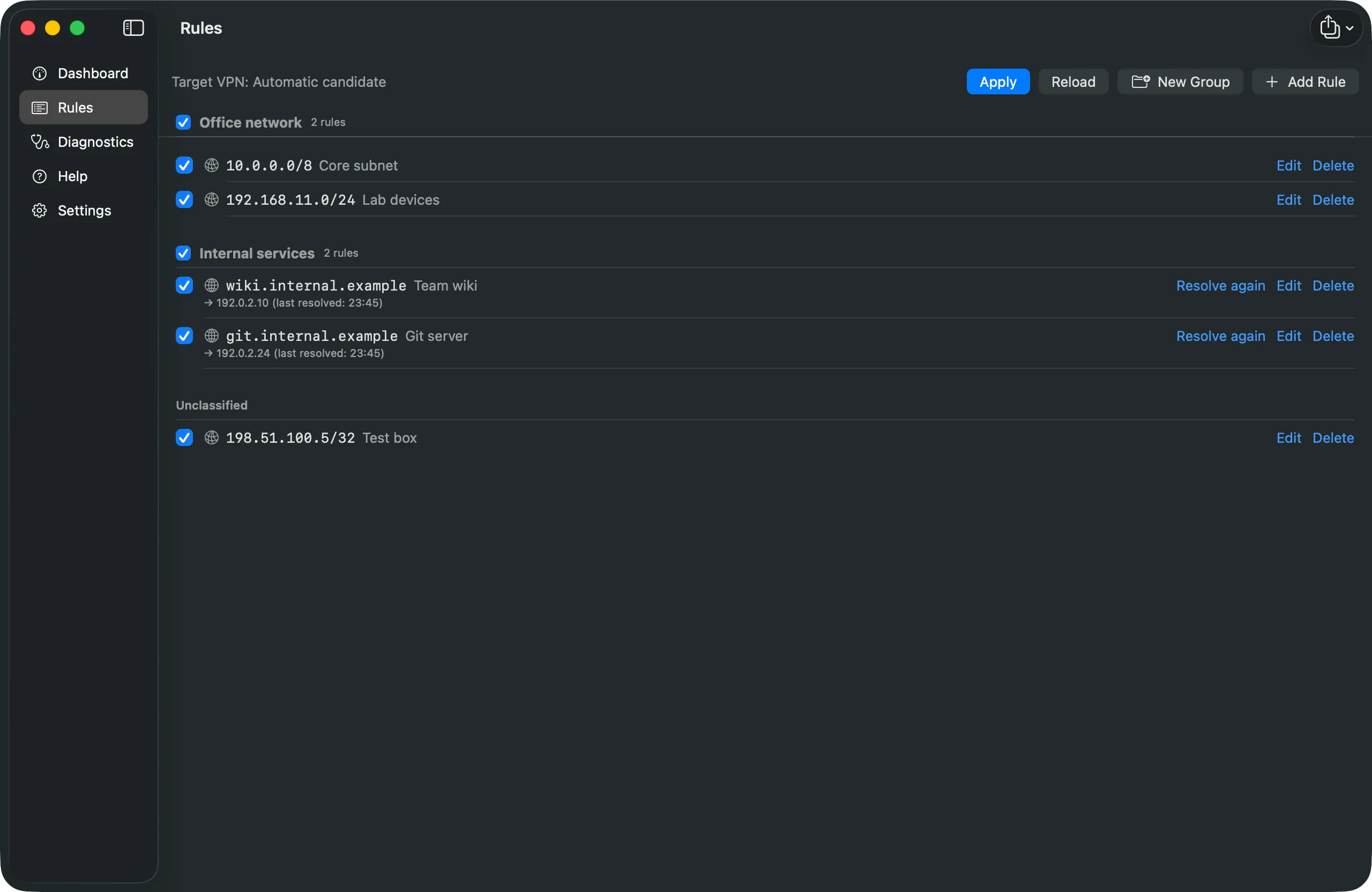
Rules by IP, CIDR, or domain
Send only the destinations you choose — an office subnet, a specific service — through the VPN. Everything else stays on your normal connection.
A GUI, not a Terminal habit
Manage rules from a native Mac app. Privileged operations are isolated in a signed helper — no more sudo route add.
Re-applies automatically
Routes come back automatically when the VPN reconnects. Default gateway restoration is on by default, and configurable per rule set.
See it in action
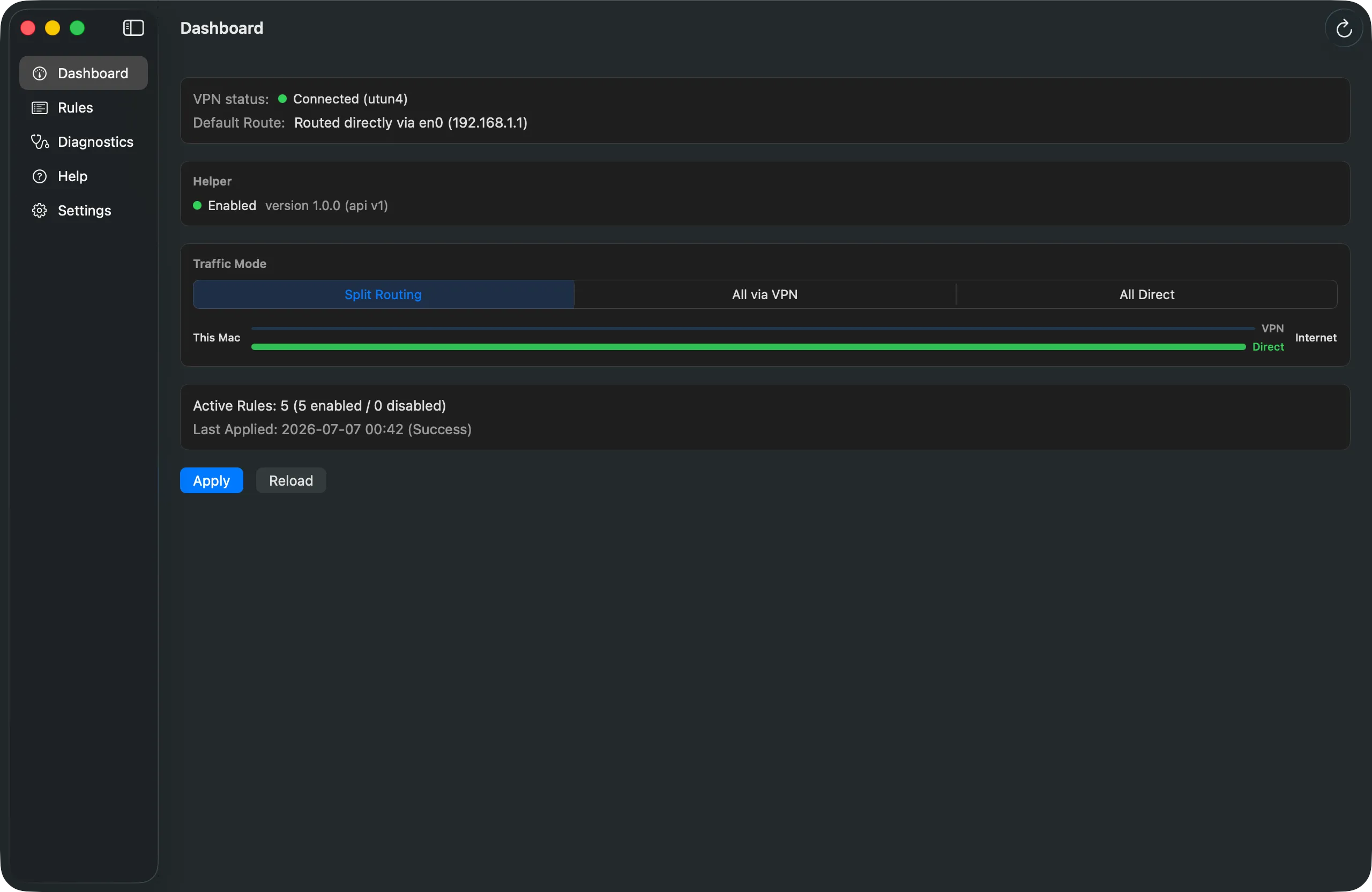
Dashboard also switches the overall Traffic Mode: Split Routing (only your rules go through the VPN), All via VPN, or All Direct — for the rare times you need to override everything at once.
How we handle admin access
Why admin privileges are needed at all
Changing macOS's routing table requires administrator privileges — that's a limitation of the OS itself, not our choice.
The helper can only do one thing
The main app never runs as admin. Privileged operations are isolated in a signed helper that can only perform a fixed set of verified route operations — it cannot execute arbitrary commands.
Nothing is sent externally
We never transmit your routing configuration or network data externally, except the license key and a machine identifier during license activation.
Uninstalling puts everything back
Uninstalling removes every route, helper, and background process the app added — your system returns to its original state. The steps are publicly documented.
Why isn't this on the App Store?
This app isn't on the Mac App Store. App Store sandboxing doesn't permit routing table changes or privileged helper operations that this app fundamentally requires. Instead, we distribute directly with a Developer ID signature and Apple notarization — Gatekeeper verifies the app before you run it.
Known limitations
- IPv4 only for now — IPv6 support is planned.
- Some VPN clients re-assert their own routes, which can override what this app sets.
- Domains served by large CDNs may resolve to different IPs over time, so domain-based rules can be partially effective.
- While the app isn't running, domain names aren't re-resolved — the last known IPs are used.
- This app doesn't establish VPN connections itself — it manages routing for a VPN connection you already have.
- If the VPN reconnects while the app isn't running, the default gateway isn't restored automatically — the background daemon only re-applies your routes, by design, to avoid making unattended changes to your default route. Your rule-based routes stay active, but other traffic may temporarily go through the VPN too, until you reopen the app.
Requirements
- macOS 13 (Ventura) or later
- A VPN that creates a
ppp*,utun*, oripsec*network interface — this covers most L2TP, IKEv2, and many WireGuard/OpenVPN client setups.
Pricing
One-time purchase, no subscription. Try before you buy — the unlicensed app works free, up to 3 rules, with no time limit. A license also unlocks unlimited rules and rule-file import/export.
Recommended
Beta License — $9
One-time. Free upgrade to the general-availability release.
For early supporters who buy during the beta period.
Buy — $9General availability
Personal License — $19
One-time. Free updates through the 1.x series.
For purchases after the general-availability release.
Available at general availability.
Payment is handled byPolar, our merchant of record (reseller) — your purchase contract is with Polar, and card details are never held by SplitLane or Kurokoto Lab. A license key is emailed after purchase. See Polar'sTermsandPrivacy Policy.
FAQ
Which VPNs are supported?
VPN connections that create ppp*/utun*/ipsec*network interfaces, such as L2TP or IKEv2. Some vendor clients that re-assert their own routes may not work as expected.
Does this violate my company's VPN policy?
This app changes local routing on your own Mac — it does not bypass VPN authentication or access controls. Please confirm with your IT department whether split tunneling is permitted under your company policy before using it on a managed device.
Is IPv6 supported?
Not yet — see Known Limitations above.
What's the refund policy?
Our current policy is a full refund, no questions asked, within 14 days of purchase. The final policy is stated on the purchase page.
How many Macs can I use my license on?
We're planning for around 2 activations per license, to comfortably cover a work Mac and a personal one. The exact limit will be confirmed before launch.
What happens if I uninstall the app?
Yes — uninstalling removes all routes, the helper, and background processes it added.
Does SplitLane establish the VPN connection itself?
No — it manages routing for a VPN connection you already establish with your existing VPN client.
Support
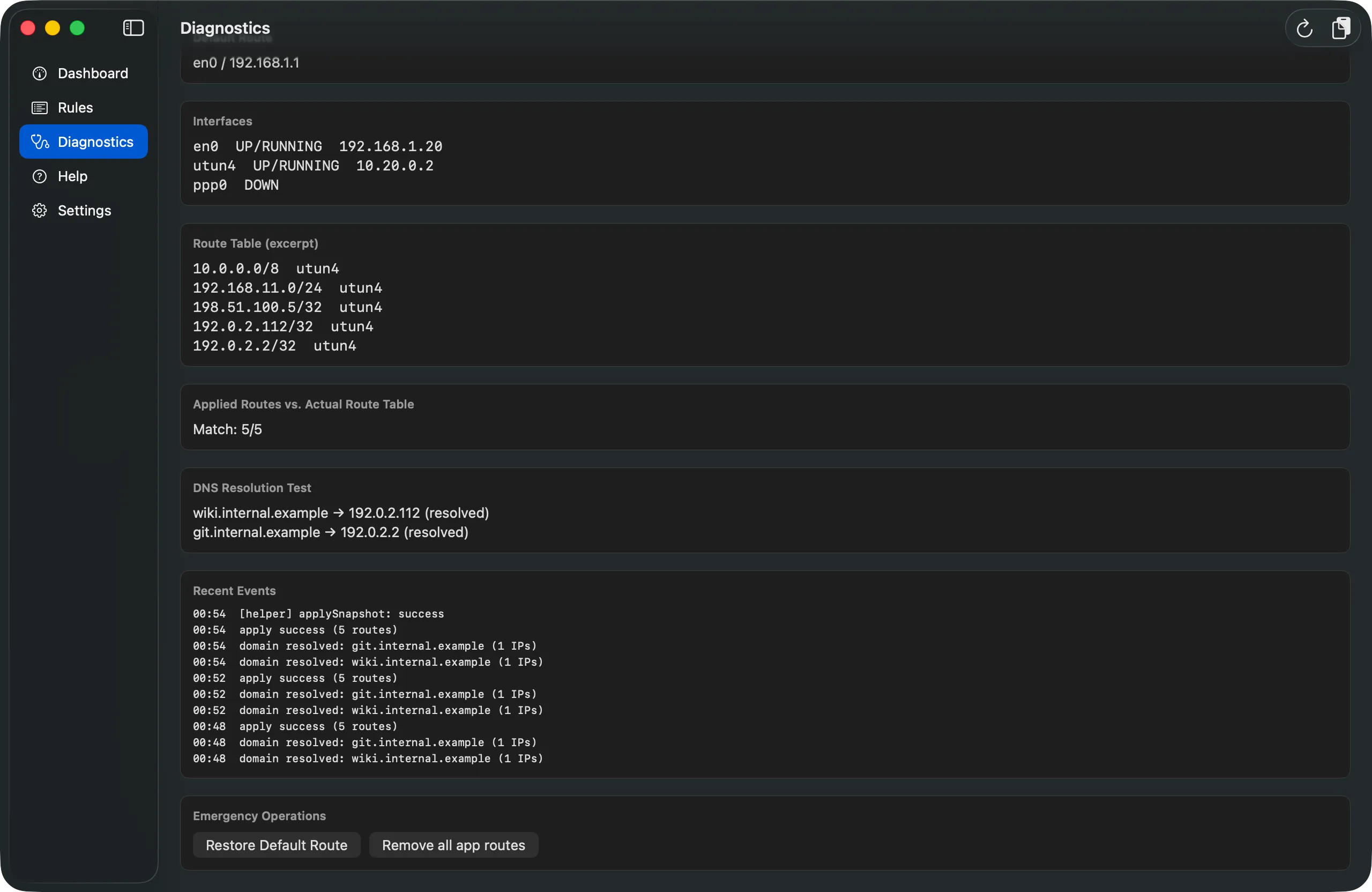
Questions before you buy, or need help after? Reach out by email, or file an issue on GitHub. When reporting a problem, attaching the in-app diagnostics report (Diagnostics → Copy Report) helps us help you faster — it's masked and written in English.
SplitLane — VPN split routing for Mac.
Route only what needs the VPN. Everything else stays direct.